AI Training for Indigenous Communities and First Nations Organizations
A practical guide to AI training for Indigenous communities and First Nations organizations, with a focus on useful staff skills, data boundaries, governance, and community control.
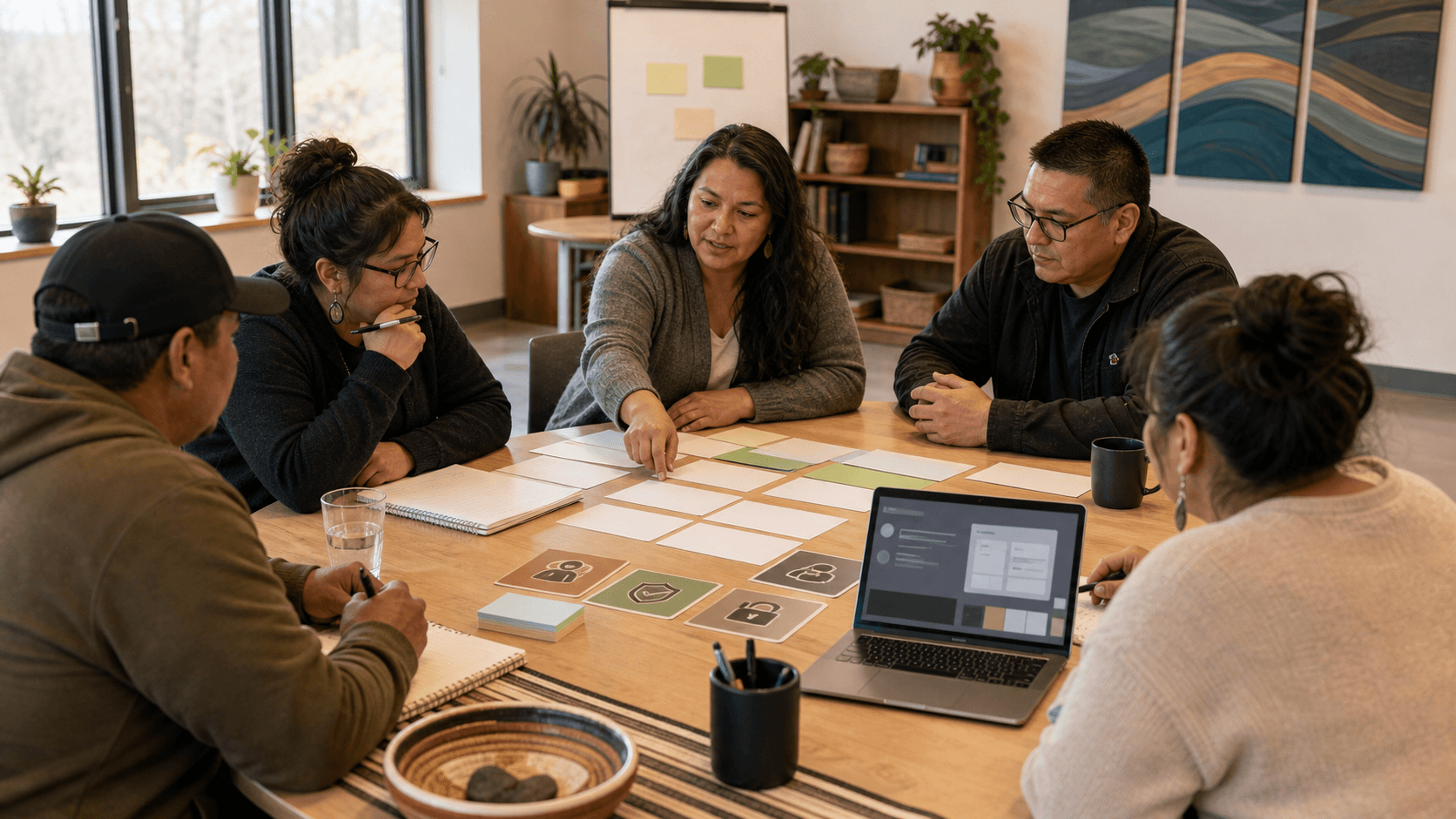
AI training for Indigenous communities and First Nations organizations should start with community purpose, staff confidence, and data boundaries. The goal is not to chase every new tool. The goal is to help people use AI on useful work while protecting information, respecting governance, and keeping human judgment where it belongs.
AI training is strongest when the community decides what AI is for, what information stays out, who reviews the output, and which tasks are worth practicing first.
That makes this different from a generic AI 101 session. A community office, health team, education program, economic development group, housing department, nonprofit, or governance team may all see AI opportunities. They may also handle information that should not be copied into public tools. Training needs to make both sides visible.
What is AI training for Indigenous communities?
AI training for Indigenous communities is practical instruction on how staff, leaders, and program teams can use tools like ChatGPT, Claude, Gemini, Copilot, or Perplexity safely on real work.
The training should cover:
- Which tasks are appropriate for AI support.
- Which information should never go into an AI tool.
- How to write prompts with enough context.
- How to review outputs before they affect people, programs, funding, or public communication.
- How the organization will document approved uses, risks, and responsibilities.
For First Nations data and information, training should also respect existing data governance standards. The First Nations Information Governance Centre's OCAP training resources and the Global Indigenous Data Alliance's CARE Principles for Indigenous Data Governance are useful starting points because they keep authority, stewardship, collective benefit, and responsibility in view.
AI Edge approaches this as skill-building, not tool promotion. The broader map is in AI for Small Business: The Complete AI Edge Guide, but Indigenous and First Nations organizations need a stronger front-end conversation about data, consent, context, and control.
Who needs AI training first?
Start with the people who already handle repeated writing, planning, intake, reporting, policy, communications, or program coordination work.
That may include:
- Executive directors and senior administrators who approve policy, communications, funding reports, or vendor decisions.
- Program coordinators who write updates, summarize notes, prepare resources, and track tasks.
- Education and employment staff who draft learning materials, workshop outlines, or participant communications.
- Economic development teams who prepare business support materials, meeting notes, and proposal drafts.
- Housing, health, family support, or social program staff who need strict privacy boundaries before using any AI tool.
- Communications teams who draft public-facing material and need strong review habits.
Do not start by training only the most technical person. AI use spreads through everyday work. The people closest to the work need enough skill to know when AI helps, when it creates risk, and when a human decision-maker must stay fully in control.
What should employees learn first?
Employees should learn five basics before advanced prompting.
- Task fit: Choose work that is repeated, text-heavy, and reviewable.
- Context: Give the tool the audience, purpose, source material, constraints, and review criteria.
- Data boundaries: Keep personal, health, financial, legal, employment, community-sensitive, cultural, or confidential information out unless the organization has approved the tool and the use.
- Review: Check facts, tone, assumptions, missing context, bias, privacy, and consequences.
- Handoff: Decide who owns the final answer, document, email, report, or recommendation.
Recent workplace AI research submitted on June 16, 2026 found that adoption depends on fit, guidance, content quality, and trust calibration, not just access to a new system. That is a plain lesson for community organizations: people need examples, source-checking habits, and room to ask what the tool is getting wrong.
If your team needs a general skills map first, read AI Skills vs AI Tools. If you need to compare workshops, cohorts, and custom training, use How to Choose the Right AI Training Program for Your Business.
What work can AI help with?
AI is usually safest when it helps draft, organize, summarize, or plan material that a person will review.
Good first workflows may include:
- Turning meeting notes into a draft action list.
- Rewriting a plain-language program notice for different audiences.
- Drafting a funding-report outline from approved source material.
- Creating a first version of a workshop agenda.
- Summarizing a public document so staff can decide what to read more closely.
- Building a checklist for a recurring administrative process.
- Preparing options for a policy conversation, with clear human review.
Those are useful because they reduce blank-page work. They are also reviewable. A person can compare the output against source material, local context, and organizational responsibility.
AI should not be used as an unsupervised authority on rights, culture, eligibility, health, legal issues, benefits, child and family matters, employment decisions, or community positions. It can help staff prepare, but it should not speak for the community.
How should data governance shape AI training?
AI training should begin with a simple data conversation before anyone practices prompts.
Ask these questions:
- What information belongs to the community or organization?
- What information is personal, confidential, culturally sensitive, or program-sensitive?
- Which tools are approved for staff use?
- Which tools are not approved?
- What information can be used in a prompt because it is already public or approved?
- Who can approve exceptions?
- How will staff report a mistake or uncertain use?
For First Nations organizations, the point is not to squeeze AI into a generic privacy slide. It is to connect AI use to governance. The United Nations Declaration on the Rights of Indigenous Peoples includes rights related to maintaining, controlling, protecting, and developing cultural heritage, traditional knowledge, and knowledge systems. AI training should respect that larger context, even when the first use case is as ordinary as drafting an email.
The NIST AI Risk Management Framework is also useful because it frames AI risk as something organizations govern, map, measure, and manage. For a small team, that can be translated into plain habits: name the use case, name the risk, name the reviewer, and write down the boundary.
How do you build an AI policy for a First Nations organization?
Start with a one-page policy before buying more tools.
A practical AI policy should say:
- What AI may be used for.
- What information must not be entered into AI tools.
- Which tools or accounts are approved.
- Who reviews AI-assisted work.
- What uses need leadership approval.
- What AI is not allowed to decide.
- How staff ask questions or report concerns.
This does not need to be perfect on day one. It needs to be clear enough that staff are not guessing. You can build from How to Build an AI Policy for Your Small Business and adapt the policy to your governance context, data stewardship expectations, and program responsibilities.
If you want a structured planning tool, the AI governance checklist can help teams identify approved uses, review gates, and risk areas before a rollout.
What are the risks?
The biggest risks are not only technical. They are practical and relational.
- Privacy risk: Staff may paste sensitive information into tools without realizing where it goes or how it may be stored.
- Accuracy risk: AI can sound confident while summarizing a policy, funding rule, or program requirement incorrectly.
- Context risk: AI may flatten local history, governance, language, ceremony, or community priorities into generic wording.
- Authority risk: A tool may appear to answer a question that belongs to leadership, community process, legal counsel, subject-matter experts, Elders, or program authorities.
- Trust risk: Public-facing AI content can damage credibility if it makes promises, uses the wrong tone, or sounds detached from the people served.
- Vendor risk: A tool may not fit the organization's privacy, retention, procurement, or data sovereignty expectations.
Use The Biggest AI Risks for Small Businesses and How to Think About Them as a general risk guide. Then add community-specific questions before staff use AI on sensitive work.
How do you measure whether AI training worked?
Measure whether training changed the work, not whether people enjoyed the session.
Useful measures include:
- Staff can name safe and unsafe AI tasks.
- Staff can write a prompt using approved, non-sensitive context.
- Staff can review output against source material.
- Staff can explain what AI must not decide.
- A team has one approved workflow it can repeat.
- A manager can see where review happens before anything reaches a client, member, funder, board, or public audience.
- The organization has a short policy or checklist that staff actually use.
For a first month, pick one workflow and one boundary. For example: meeting-note summaries from non-confidential staff planning meetings, with a human reviewer and a rule that no names or sensitive program details go into the tool. That is small enough to practice and serious enough to teach the right habits.
What should AI not decide?
AI should not decide community priorities, eligibility, discipline, hiring, health advice, legal positions, cultural meaning, funding commitments, or final public statements.
It should not replace consultation, consent, professional judgment, community process, or leadership accountability. It should not be treated as a neutral authority on Indigenous knowledge, governance, rights, or lived experience.
The practical rule is simple: AI can help prepare options. People remain responsible for decisions.
Where should an Indigenous organization start?
Start with a readiness conversation, not a tool demo.
Use this first-week plan:
- Pick one low-risk workflow.
- List what information is safe and unsafe for that workflow.
- Draft a simple prompt using only approved context.
- Review the output as a group.
- Write down what the tool got wrong.
- Decide whether the workflow is worth repeating.
- Add one policy note so the next attempt is safer.
That is how AI training becomes practical. It gives staff confidence without pretending the tool understands the community.
AI Edge can help Indigenous community organizations, First Nations teams, and nonprofit partners design training that starts with workflow practice, privacy boundaries, governance, and review. If you want to explore a practical training plan, book an AI inquiry call or use the get-in-touch form with the workflow, team, or governance question you want to start with.